The goal of the new improvement is to make the API self-service as much as possible and to reduce the support load.
It will help ScreenshotOne customers to get unstuck and not wait for the support team to answer questions and analyze the problem themselves quickly.
Also, a reduced support load will help ScreenshotOne to provide better services and more delightful features.
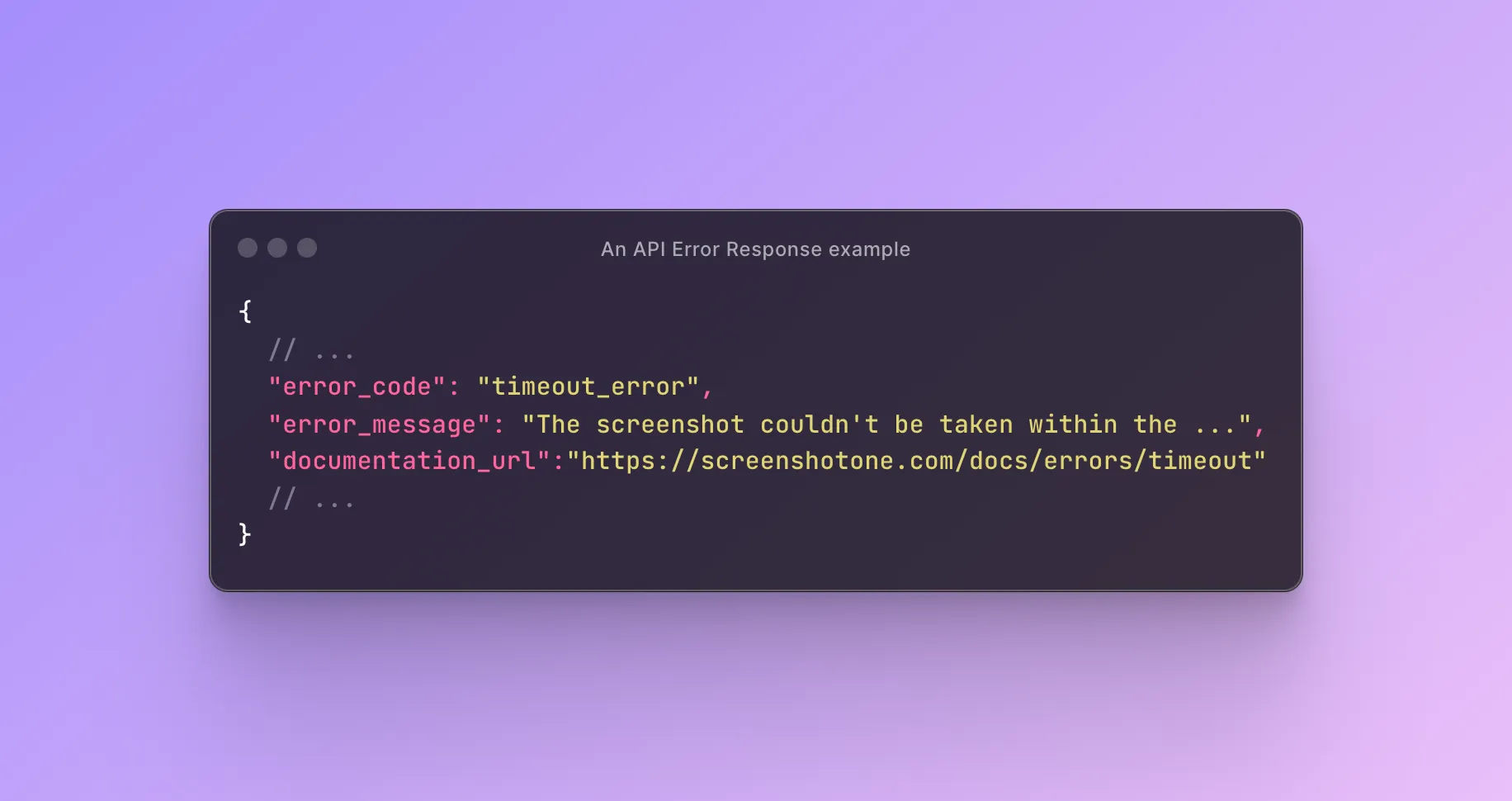
Documentation links in the response
Since now you can the documentation URL in the error response. It will allow users to check how to handle the error straight away:
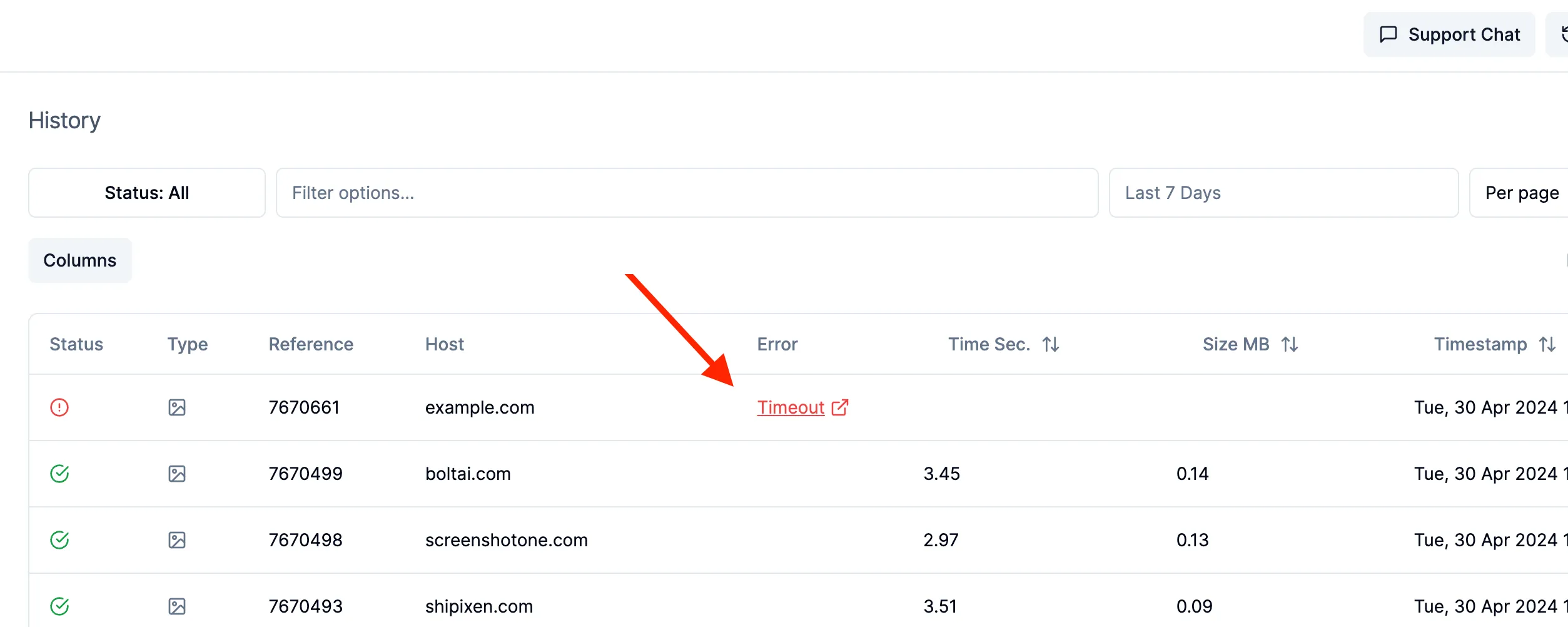
Improved history
In the dashboard request log, users will also see an error and it is a link to the dedicated documentation page:
Next
There is a lot to do, still:
- Today, only a handful of errors are covered. But it is a good start and a solid foundation. The goal is to cover all errors.
- Send an email when the error is encountered for the first time with help on how to handle it.
- Automatically analyze the error and what caused it and provide code examples on how to fix it.
- More analytics of error rate by error types.
Any more ideas or best practices you can share? Feel free to reach out and share at hey@screenshotone.com.